This guide brings together the launch process for all Ghost software from the ForgeCheats catalog in one place: GHOST ABI and GHOST ABI ESP for Arena Breakout, GHOST ABI LEGIT for Arena Breakout (legit version), GHOST CHAMELEON for Meccha Chameleon, and GHOST DELTA CHAMS for Delta Force. Ghost products share the same preparation and activation process, but there are two different behavior scenarios after injection - find your product in the table of contents and jump straight to the relevant section.
The activation and download link for the loader of your specific product arrives in your ForgeCheats account immediately after payment - this article does not contain it and cannot contain it, access is only available through the customer account.
Table of contents
- Section A - System preparation and key activation (common to all Ghost products)
- Section B - In-game menu on the INSERT key (GHOST ABI, GHOST ABI ESP, GHOST CHAMELEON)
- Section C - Standalone operation without a menu (GHOST DELTA CHAMS)
- Section D - Hotkeys without a menu (GHOST ABI LEGIT)
- Common issues and questions
Section A. System preparation and key activation
This section is common to all five Ghost products - preparation and activation are identical, only the final step after injection differs (see your section B, C, or D below).
Step 1. Disable your antivirus and Windows Defender
Without this step, the loader will most likely be deleted right after downloading. A detailed step-by-step guide with screenshots is already available in our article How to Disable Windows Defender and Antivirus Before Running a Cheat - there is no point repeating it here. It also includes a quick option - the DControl utility, which disables Windows Defender in one click.
Step 2. Get your activation key
After payment, an activation key and a link to the download page will appear in your ForgeCheats account. The key's look isn't fixed - it varies from batch to batch, sometimes it comes with a letter prefix, sometimes it's just a plain string like XXXX-XXXX-XXXX-XXXX with no prefix at all. Don't go by the format - check which product it's tied to in your account, and use that key on the activation page.
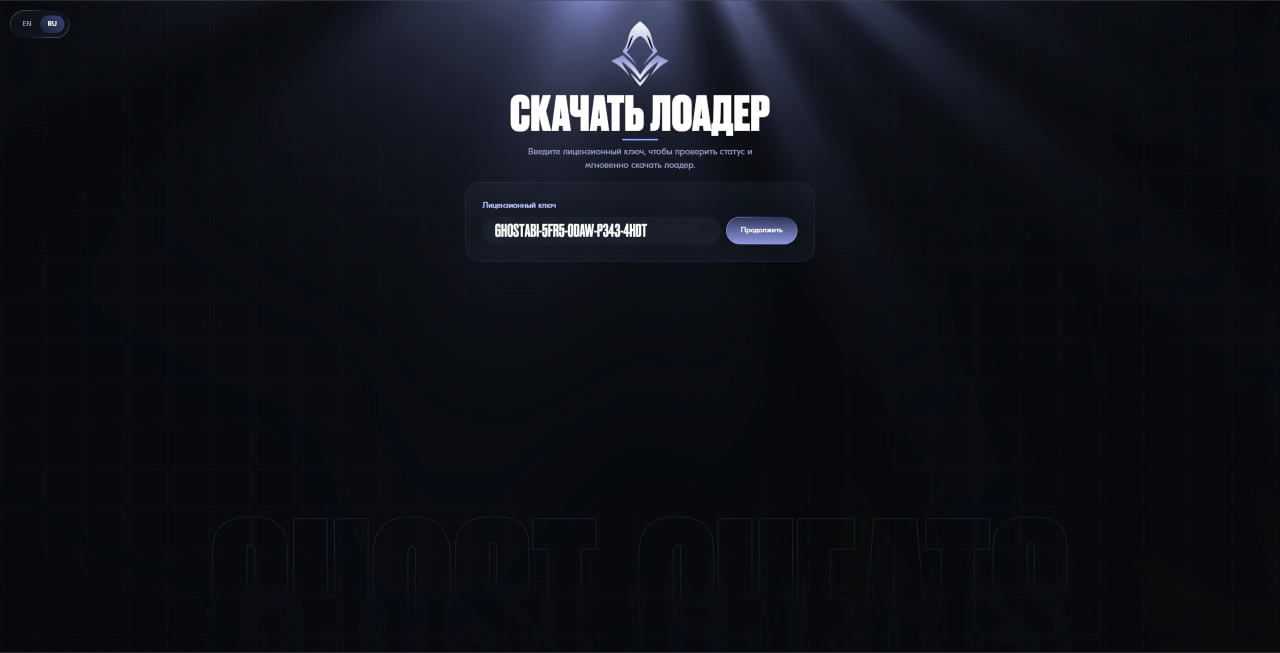
Step 3. Activate the key and download the loader
- Follow the activation link from your ForgeCheats account.
- Paste the key into the field and click "Continue".
- The loader download will start automatically. If your browser blocks the file, disable your browser's protection or use a different browser; your antivirus should already be disabled by this point (see Step 1).
Step 4. Launch the loader
Open the downloaded file as administrator. A small transparent window will appear showing the download log and a percentage status.
If the window showing
Wait for the software to downloadstays up for more than two minutes or closes on its own, this is not a malfunction - just launch the loader again.
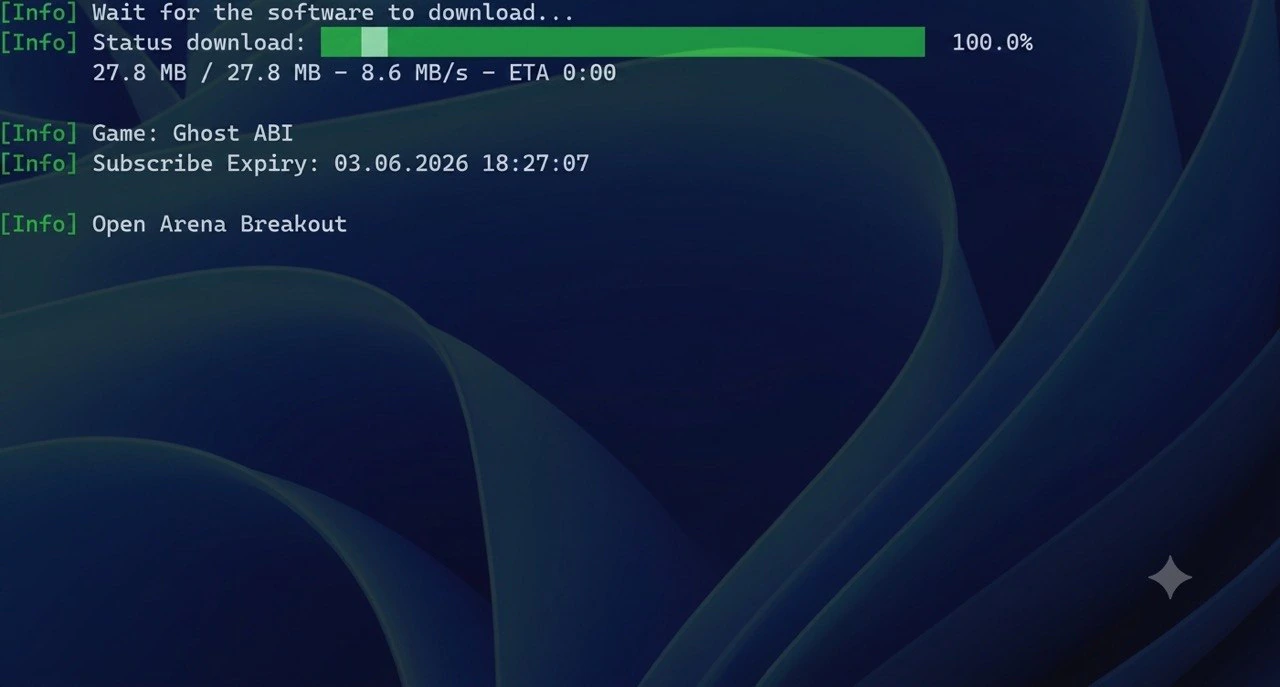
Once you see the successful injection message, launch the game. Further behavior depends on the specific product - go to your section below.
Section B. In-game menu on the INSERT key
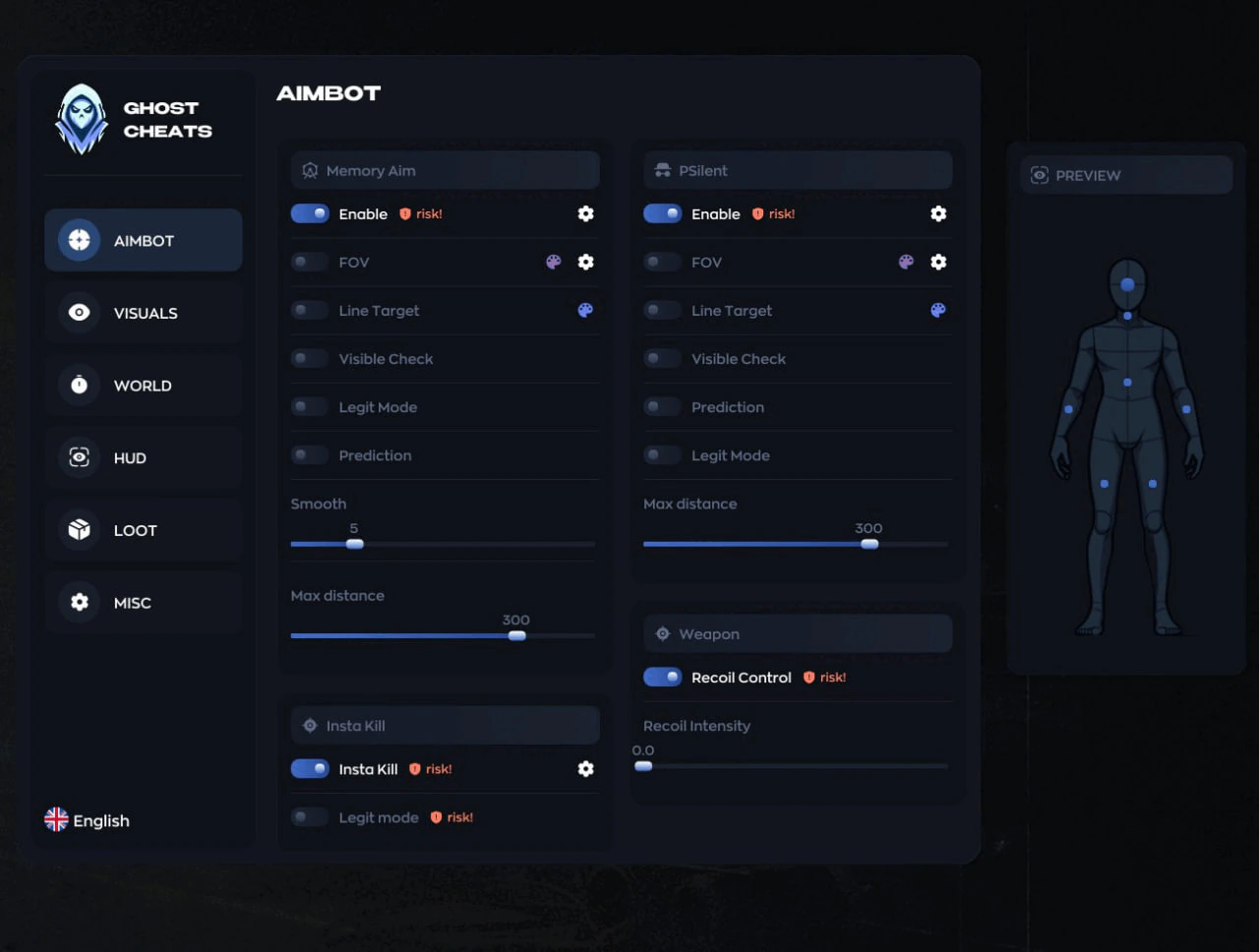
This section applies to GHOST ABI and GHOST ABI ESP (Arena Breakout), as well as GHOST CHAMELEON (Meccha Chameleon). All three follow the same principle: after injection, a full settings menu opens in-game.
Opening the menu
Enter the game, wait for the location to fully load, and press INSERT - the software's menu will open. The same key closes the menu.
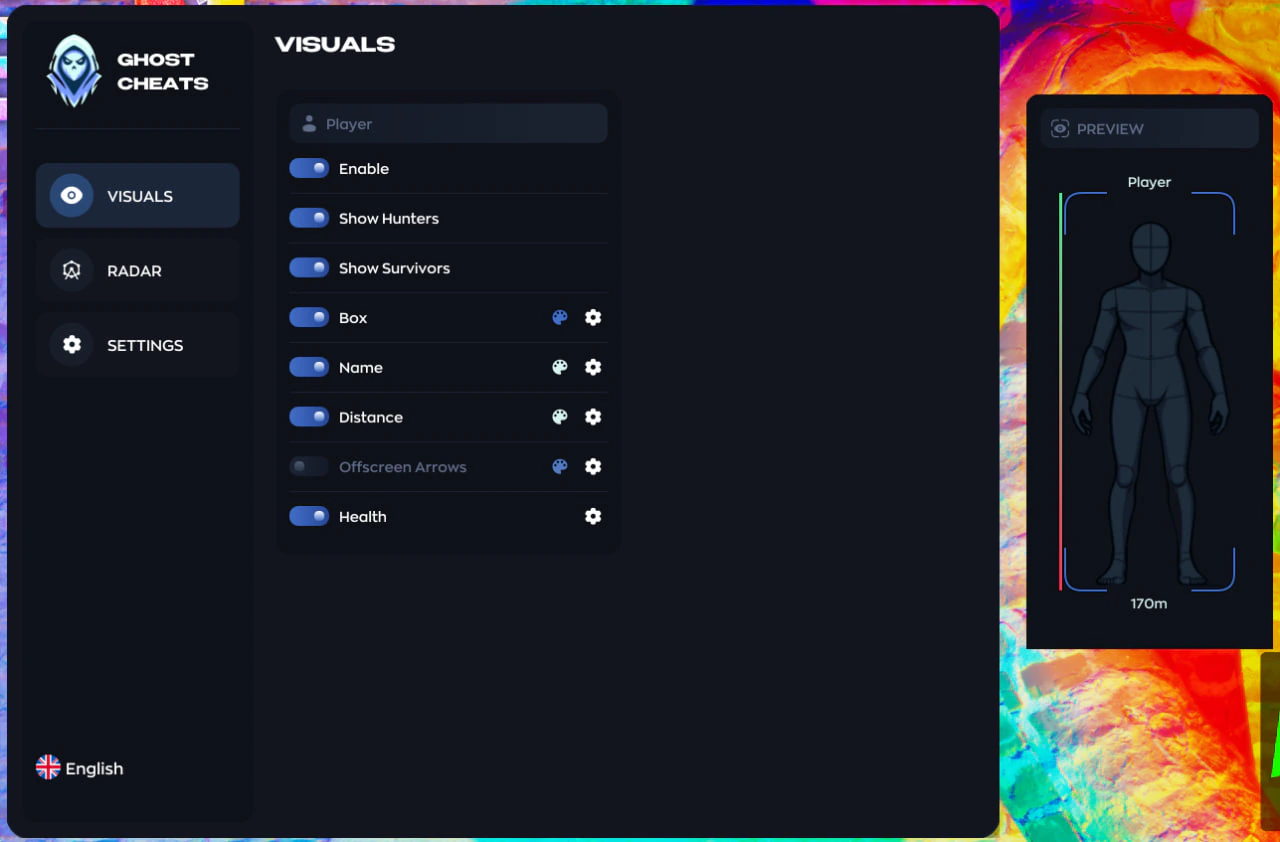
GHOST CHAMELEON is a separate product for Meccha Chameleon with its own set of tabs (VISUALS, RADAR instead of AIMBOT), but the principle of opening and closing the menu with INSERT is exactly the same.
GHOST ABI ESP uses the same loader and the same menu as GHOST ABI - there are no separate screenshots for it, use the image above as a reference.
Section C. Standalone operation without a menu - GHOST DELTA CHAMS
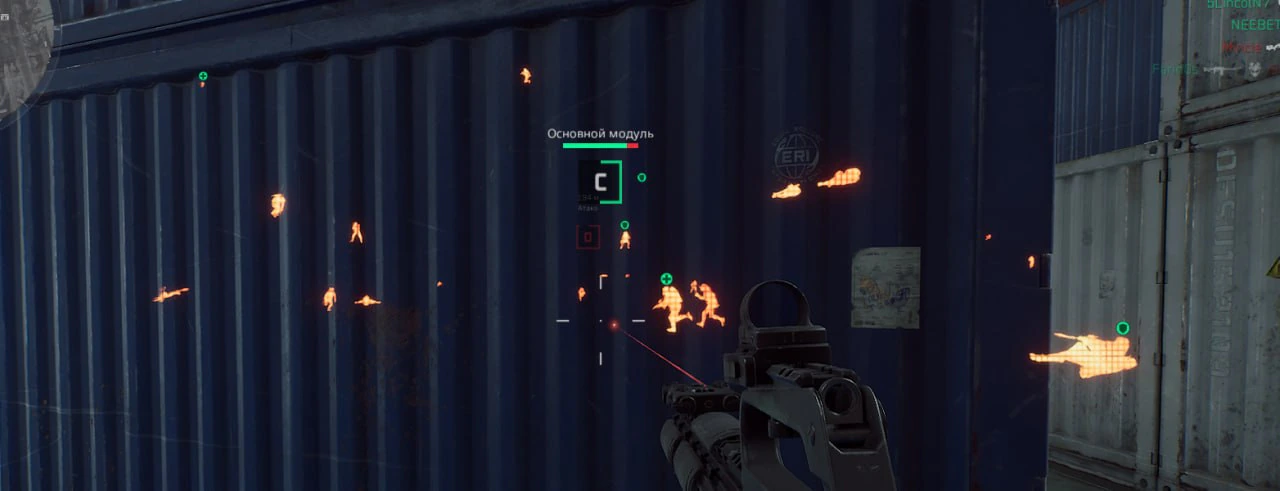
GHOST DELTA CHAMS for Delta Force works differently from the rest of the Ghost lineup: the product has no menu and no hotkeys. After a successful injection, simply enter a match - player highlighting through walls and cover (chams) turns on by itself, so you don't need to press any keys.
Section D. Hotkeys without a menu - GHOST ABI LEGIT
GHOST ABI LEGIT for Arena Breakout is a legit version of the software, also without a visual menu. Control is via two hotkeys directly in-game:
F1- thermal vision (built-in thermal imaging, works the same way as in the game itself)F2- Adjustable No-Recoil; strength is adjusted with the+and-keys
The Legit version's activation page has one distinctive feature - it immediately shows the product status and the remaining number of HWID resets (the license-to-hardware binding).
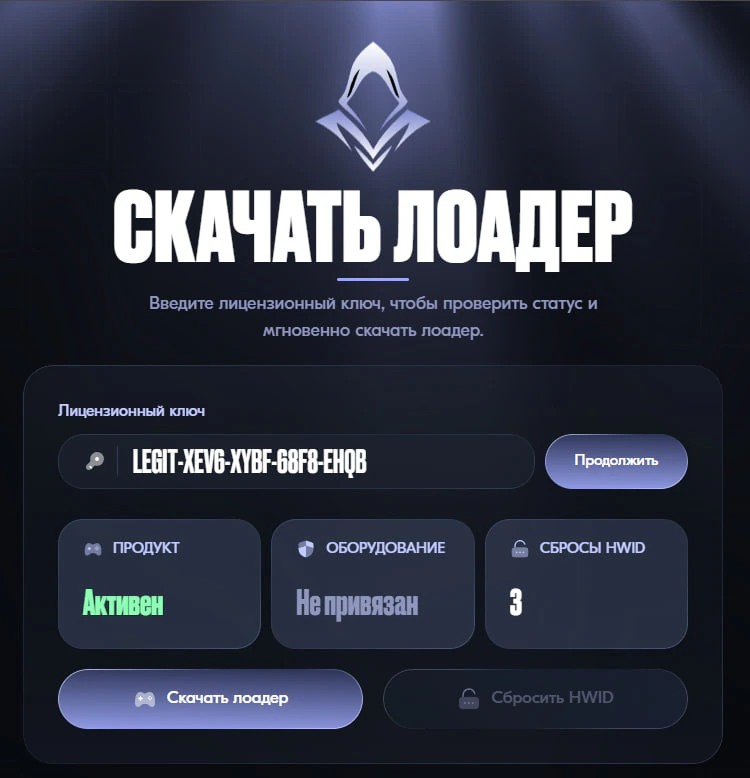
HWID resets are needed if you change computers or reinstall your system with different hardware. Their number is limited - use them only when necessary, not every time you restart the loader.
Common issues and questions
The loader or file disappears right after downloading
This is almost always caused by an antivirus or Windows Defender that hasn't been fully disabled. Go back to Section A, Step 1 - disable protection completely (including cloud-delivered protection and real-time protection), and only then download the file again.
The loader window stays on "Wait for the software to download" for a long time
Wait up to two minutes - this is normal for the first launch. If the window hangs longer or closes on its own, simply open the loader again; there is no need to reinstall anything.
The menu doesn't open after pressing INSERT
Make sure the loader showed a successful injection message and the game has fully loaded - the menu will not appear on the loading screen or in the lobby. Check your keyboard layout and make sure the INSERT key isn't remapped by another program (some laptops require Fn+Insert).
Error activating the key on the download page
Sync your computer's clock (Win + I → Time & language → Sync now) - even a couple of minutes of desync can break key verification. If the error persists, try connecting through a VPN: sometimes the issue is a block on your internet provider's side.
Out of HWID resets (GHOST ABI LEGIT)
Contact ForgeCheats support - only support staff can reset the hardware-license binding, this cannot be resolved on your own.
The software stopped working after a game update
Wait for the software itself to be updated - after a game patch, this usually takes anywhere from a few hours to a day, and subscription time is compensated in such cases. We post the update status after every patch in Telegram and Discord - you can also ask other Ghost software buyers there if something isn't working according to this guide.