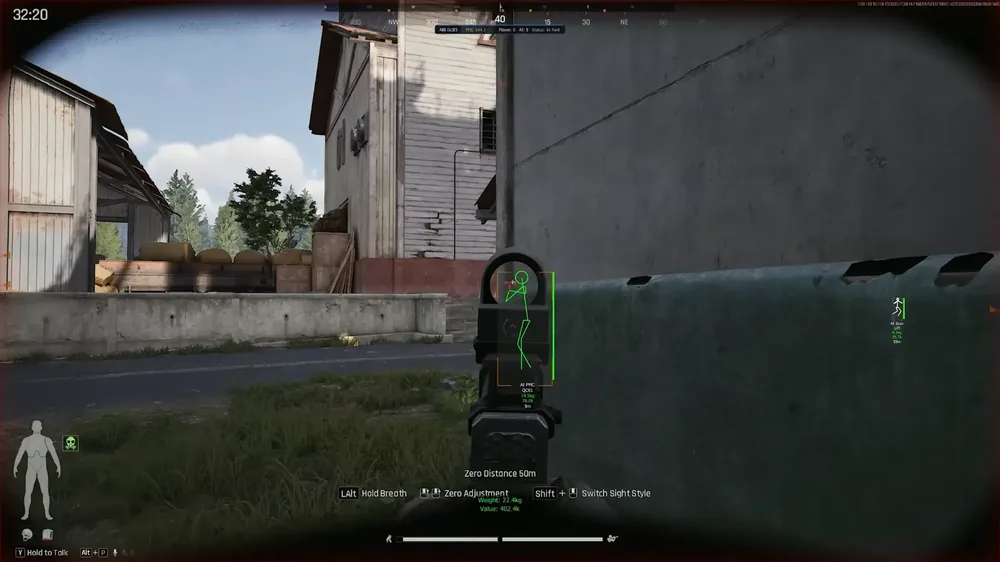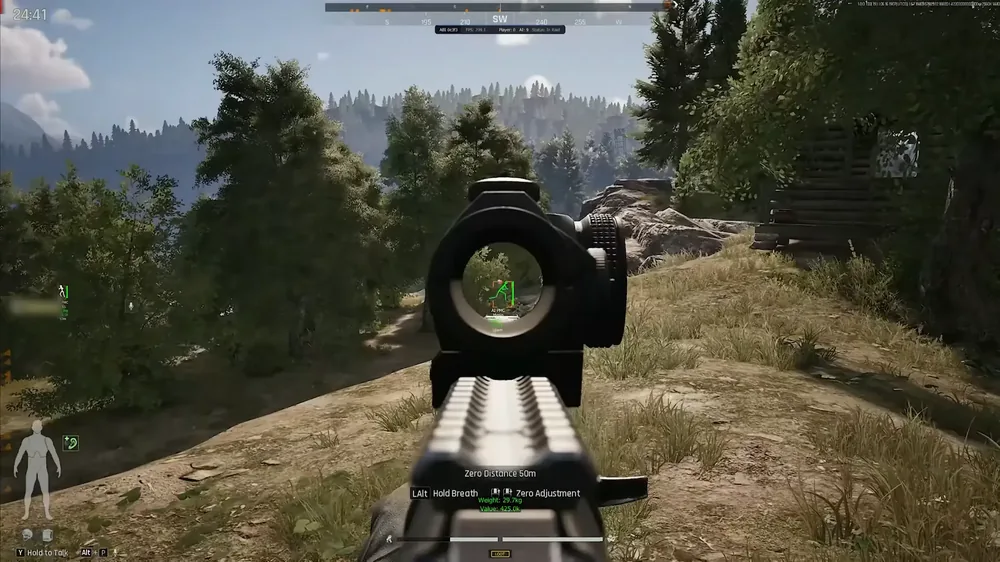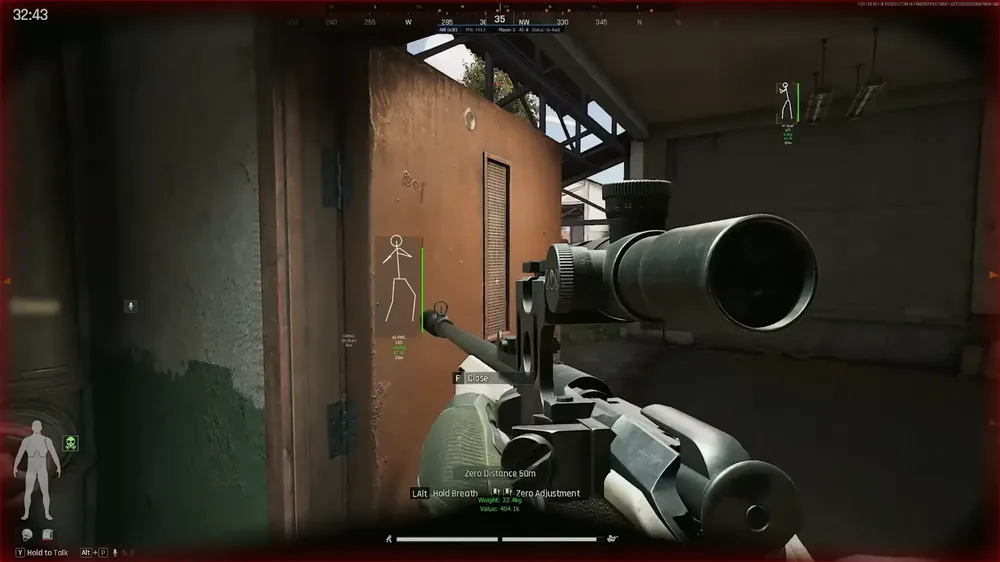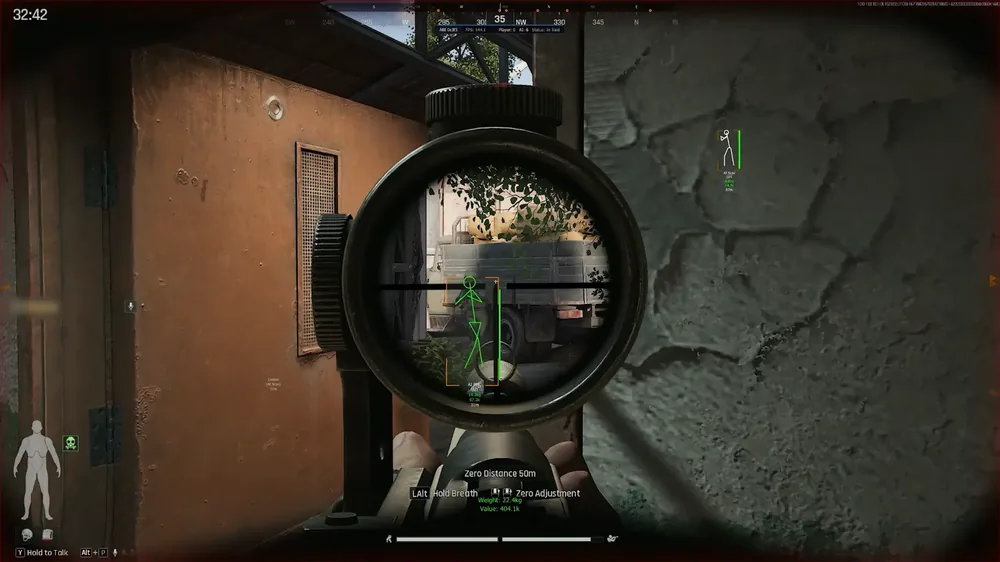
Rediant for Arena Breakout: Infinite is a good fit for players who want a full aimbot together with deep ESP, not a stripped down version of one or the other. A separate Humanizer module removes robotic crosshair behavior, and Loot ESP with a price filter helps you pack faster during a raid. The price starts from 800 rubles per day, and the status in 2026 stays undetected under ACE. All details and purchase options are on the product page for Rediant.
We tested the cheat in raids on maps with different combat density, and separately checked its behavior in enclosed spaces and in open areas with long range firefights. ACE in Arena Breakout is often compared in strictness to Vanguard from Valorant, and it bans by hardware, not just by account, so we checked compatibility right after a game patch, both before and after signature updates.
How We Tested Rediant
We ran raids in both casual and ranked modes to compare how ESP and the aimbot behave against AI bots and against live players. We separately assessed how smoothly Humanizer works in close combat, where reaction delay is especially noticeable to the eye. Loot ESP was tested across full extraction raids, from start to evacuation, to see how much time the price filter saves when checking containers.
ACE in Arena Breakout runs at the system kernel level and, according to the game itself, bans by hardware fingerprint, not just by account, so we separately checked the loader's behavior right after patches: how quickly an update comes out and whether the undetected status holds during the first hours after a new game version rolls out. On tight maps like Armory and TV Station, we specifically checked whether ESP confuses bots with live players in dense building layouts.
Rediant Features: A Practical Breakdown
Aimbot in Rediant: How It Works in Practice
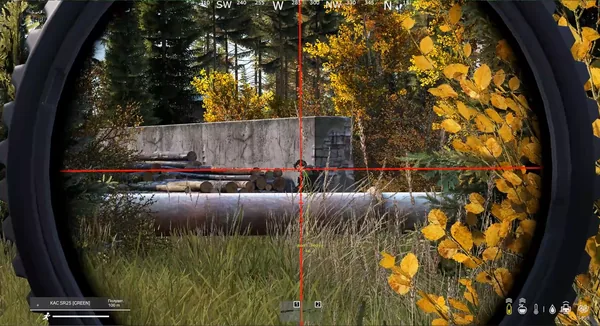
The base module includes aim points with adjustable targeting type, a maximum distance limit, and a target capture angle limit, which keeps the crosshair from jerking toward distant targets outside a reasonable combat zone. Smoothing is adjustable from fast to slow, and a separate aimbot cycle delay makes the reaction feel less instant. Visibility checking filters out targets behind walls and objects, and auto-lock picks up a new target if the current one leaves the hit zone.
In mid-range firefights the aimbot performs predictably, and the angle and capture range limit settings keep the crosshair within honest visual contact instead of grabbing targets across the whole map. A separate aim point setting on the target's body lets you choose the targeting zone rather than just the center of mass, which is useful when you want to avoid landing an obvious headshot on every single shot.
The aiming distance line limit further restricts capturing targets visible at the very edge of the screen, which lowers the chance of the crosshair snapping toward a random silhouette in your peripheral vision during a fast camera turn.
Humanizer and Reaction: Humanizing Aimbot Behavior
This is the module that sets Rediant apart from simple snap aims. Randomization speed, target speed calculation error, and local speed error add natural inaccuracies to the crosshair that are harder to distinguish from a real human player in behavior logs. A separate Reaction block controls the reaction delay to a target stopping, to a new target appearing, and to an enemy changing direction, along with a speed threshold and direction change angle.
In practice this shows up in close combat: the crosshair doesn't snap onto a target instantly on a sudden direction change, instead it reacts with a small pause, the way a player with good reaction time would, not a script. Some of the recoil compensation settings, vertical and horizontal, are marked as not yet configured in the current build, worth keeping in mind if you're counting specifically on recoil compensation inside the aimbot.
ESP and Wallhack: What You See in Combat
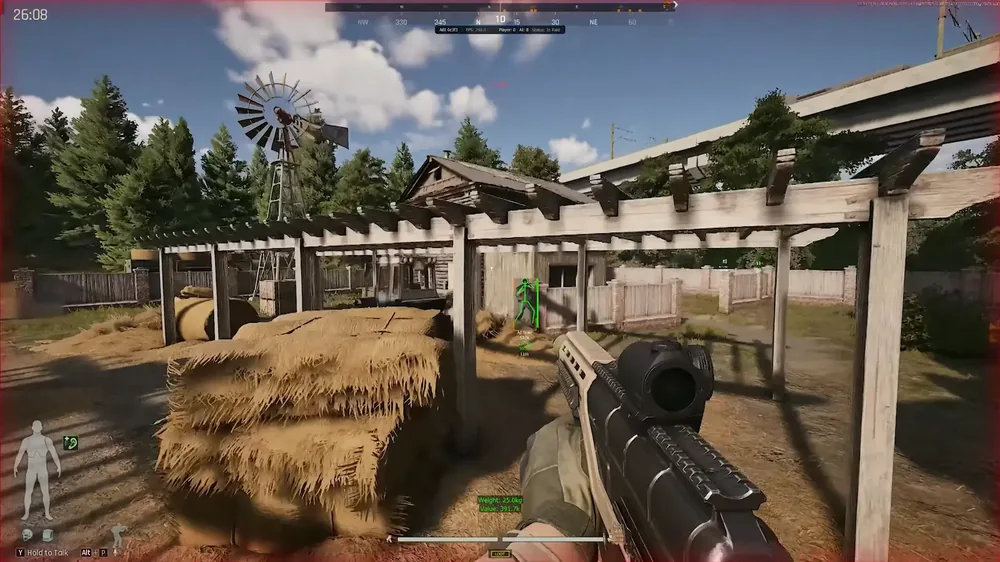
ESP shows players, bots, and allies separately, with different box types, skeleton, and adjustable bone and box thickness. There's extra information: distance, health, and a text background for readability on bright map backgrounds like Farm or Valley. Snap lines with an adjustable line start point help you quickly figure out where shots are coming from, and off-screen indicators show targets outside the screen with opacity fading based on distance.
It's worth separately mentioning Proximity Warning and the look direction warning: the first tells you an enemy has come closer than a set distance, the second warns you that someone is looking your way. On Arena Breakout's tight maps, where close combat decides the outcome of a raid in seconds, this is noticeably more useful than a simple list of boxes on screen.
Loot ESP: Filtering by Price and Weight
Loot is shown with a minimum value threshold, with separate range settings for items on the ground and in containers. There's a display of local price and weight right next to the item, which is handy for quickly deciding whether a find is worth carrying to extraction or whether it's better to save backpack space for ammo. Corpses and death crates are separately highlighted, useful after clearing a spot full of bots or after winning a firefight.
Separate range settings for items on the ground and in containers keep the screen from getting cluttered on maps with lots of buildings: containers are visible from a distance, while small loot on the ground only lights up when it's actually worth walking over to.
Radar: Orientation on the Map
The radar shows players, bots, and teammates by team, with adjustable transparency and a mode that either follows camera rotation or stays fixed to north. For newcomers to a given map, this makes orientation easier without constantly opening the full map, especially on dense locations like Northridge or Armory.
The north-up mode is especially useful together with team play: while allies orient using the same coordinate system, it's easier to call out where the enemy is coming from by voice, instead of describing direction relative to your own screen, which is different for every player.
Interface: Performance and Readability
Font size and interface element size are adjustable separately, which is useful on high resolution monitors where the standard ESP text becomes hard to read. The FPS overlay and GPU priority setting let you quickly check whether the overlay is dragging performance down, and the top info panel shows a summary without needing to open the settings menu in the middle of a fight.
Box and skeleton bone thickness is adjustable separately from the overall font size, which gives flexibility across different screen resolutions: at 1440p and above, lines that are too thin are hard to make out on the move, while lines that are too thick start covering up the target itself.
Rediant in PvP: What to Expect from an Aimbot with Humanization
Arena Breakout: Infinite is built around direct clashes with live players more than DayZ, so the balance between aimbot power and how unnoticeable it is matters more here than in purely survival games. Rediant doesn't try to pull off impossible headshots across the whole map, the distance and capture angle limits deliberately keep the aimbot's working zone within a reasonable combat radius.
Players who want a maximally aggressive snap aim without worrying about realism should keep in mind that Humanizer deliberately reduces reaction sharpness, and some of the aggressive aim effect is traded away for less noticeable behavior. This is a deliberate developer trade-off, not an oversight.
Rediant Stability and Launch
The cheat supports Windows 10 and 11 across build range 1903 to 25H2, works on Intel and AMD processors, and runs in windowed mode. Not every loader in our catalog covers such a wide range of supported Windows builds, which is convenient for anyone who, for various reasons, hasn't updated to the very latest system version. One honest note worth mentioning: there's no built-in spoofer or OBS recording bypass included, unlike some other loaders in our catalog. Since ACE ties a ban to hardware, not just an account, if you're buying again after a ban, it's worth considering a separate spoofer if one has already been used on your system before.
Our team checks ACE compatibility after every game patch, and at the time of testing the status held undetected with no delay in signature updates.
First Launch of Rediant: Where to Start
After payment, the loader becomes available in your personal account on forgecheats.com. The steps are as follows:
- Download the current version of the loader from your personal account right after purchase, older builds may not work with a fresh game patch
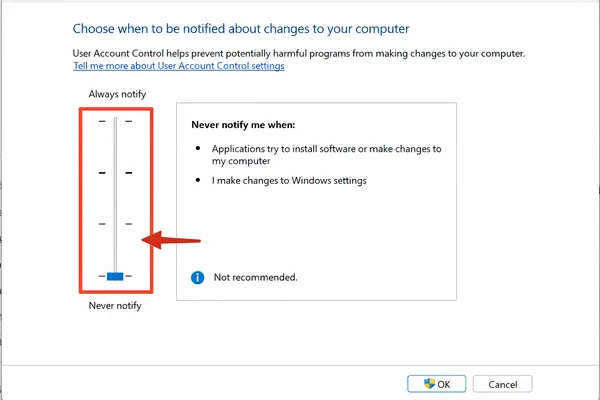
- Add the loader folder to your antivirus and Windows Defender exclusions, otherwise the file may get blocked before it even launches
- Run the loader as administrator before starting Arena Breakout, not after you've already joined a match
- Set up Humanizer and aimbot limits to match your playstyle, settings that are too aggressive look suspicious even with humanization
- Check ESP and radar in training mode or on a calm raid before heading into a ranked match
If Windows Defender is blocking the loader from launching, we have a separate guide on disabling Windows protection for a cheat with step by step screenshots.
| Feature | In Rediant | Comment |
|---|---|---|
| Aimbot | Yes | Smoothing, angle and distance limit, auto-lock |
| Humanizer | Yes | Reaction delays, randomization to mimic a live player |
| Player and Bot ESP | Yes | Skeleton, boxes, snap lines, off-screen |
| Loot ESP | Yes | Filter by price and weight, separate containers |
| Radar | Yes | North-up and camera rotation follow |
| Built-in spoofer | No | Separate module needed after a repeat ban |
| OBS recording bypass | No | Not included in the current build |
Rediant Pros and Cons
Pros:
- A full aimbot with flexible distance and capture angle limit settings
- Humanizer and Reaction make crosshair behavior look less like a script
- ESP with visibility checking, snap lines, off-screen indicators, and a proximity warning
- Loot ESP with a price and weight filter for quickly evaluating finds
- Radar with north orientation regardless of camera rotation
Cons:
- No built-in spoofer, a separate module is needed for a hardware ban
- No OBS recording bypass in the current build
- Some recoil compensation settings are not yet configured by the developer
- Price is above the catalog average for 24 hours of use
Most of the downsides come from the fact that the developer focused on the hardest part, aimbot behavior and ESP depth, and left supporting modules like the spoofer and OBS bypass out of scope. For players who see this as a dealbreaker, it's better to factor the cost of a separate spoofer into your budget from the start.
Rediant Price and How to Buy
In our catalog, one day of Rediant costs 800 rubles, a week costs 2800 rubles, and a month costs 5500 rubles, payment is available by card and other methods right in your personal account. Per day, the weekly plan works out to about a third cheaper than the daily one, and the monthly plan brings the daily price down to 183 rubles with regular play. For a few raids over the weekend, the daily plan makes more sense, for a ranked season, go with the monthly one. You can subscribe on the product page: buy Rediant. If you want to compare with other options by price or feature set, check out the rest of the Arena Breakout cheats in the catalog.
Questions about Humanizer setup or ACE compatibility are handled in Telegram (200+ members) and Discord (637+ members).
Who Rediant Is a Good Fit For
Choosing a cheat for Arena Breakout depends heavily on what matters most in your specific raids.
If realistic aim matters: Humanizer and adjustable reaction make crosshair behavior less noticeable to an outside observer than a plain snap aim.
If information is the priority: the combination of ESP, Proximity Warning, and a north-up radar gives you maximum data on enemy positions before contact.
If you're raiding for loot: the Loot ESP filter by price and weight speeds up collecting and lowers the risk of hauling junk instead of valuable items.
If price matters: for occasional, infrequent play sessions, the daily plan at 800 rubles may end up pricier than similar cheats for other games in the catalog, worth factoring in ahead of time.
We'll repeat the honest point separately: the spoofer and OBS bypass are not included, and if ACE has already banned your hardware before, it's worth thinking about this before the purchase, not after.
Frequently Asked Questions About Rediant
Is Rediant detected or undetected right now?
As of 2026 the status is undetected, our team checks ACE compatibility after every Arena Breakout patch. Check the current status on the product page before buying.
How much does Rediant cost?
One day of use costs 800 rubles, a week costs 2800 rubles, a month costs 5500 rubles. Payment is available by card and other methods right in your account on the website.
Rediant won't launch, what should I do?
Most often the issue is antivirus or Windows Defender blocking the loader before it starts. Message support through Telegram or Discord with a description of the error, we'll help you sort it out quickly.
Do I need a spoofer with Rediant?
There's no built-in spoofer included. If ACE has already banned your system by hardware before, we recommend picking a separate HWID spoofer before buying the loader again.
Does Rediant protect against behavior based detection?
Yes, that's handled by the Humanizer module with reaction delays and randomization, which lowers the chance that crosshair behavior will look robotic to other players or to replay analysis systems.
Does Rediant work against AI bots in a raid?
Yes, ESP and the aimbot recognize bots and live players equally, a separate label in the interface lets you instantly tell them apart, so you don't waste ammo and time for nothing.