Avalanche for DayZ suits players who want full control over the situation on the map rather than help with shooting: the cheat has no aimbot, but its ESP and radar are among the most detailed on the market among loaders for this game. The price starts at 270 rubles per day, and the status in 2026 remains undetected under BattlEye. Details, screenshots, and purchase are available on the product page for Avalanche.
We tested the loader on the current DayZ patch in windowed mode, with OBS recording bypass enabled. We looked at three things: how quickly ESP loads when joining a server, how clearly the radar shows target movement at long distances, and whether the configuration persists after restarting the game. BattlEye in DayZ updates its signatures with almost every major patch, so a stable undetected status matters here just as much as the feature list.
How We Tested Avalanche
We ran loot tests on high population servers, where the visual clutter from buildings, vehicles, and zombie crowds at military bases is at its peak. We separately checked the radar's behavior in forests and in the open terrain of Chernarus, where an enemy usually appears suddenly and without warning. We checked compatibility with BattlEye right after a game patch: the cheat picked up the update within a day, without manually fiddling with configs or reinstalling.
Some tests were run on low population servers to separately assess the load on the system. We didn't notice any significant FPS drop from the ESP and radar overlay, even with all Loot ESP categories fully enabled. We also ran a fresh spawn to full gear run to gauge how much time the loot filters actually save compared to playing without the cheat.
We also checked behavior on servers with increased zombie respawn, where the undead can gather in crowds at building entrances. Zombie ESP helped plan a route inside in advance, without opening doors blindly or losing health to random bites, which matters noticeably in a survival mode with limited medical supplies.
Avalanche Features: Tested in Practice
Player and Zombie ESP in Avalanche
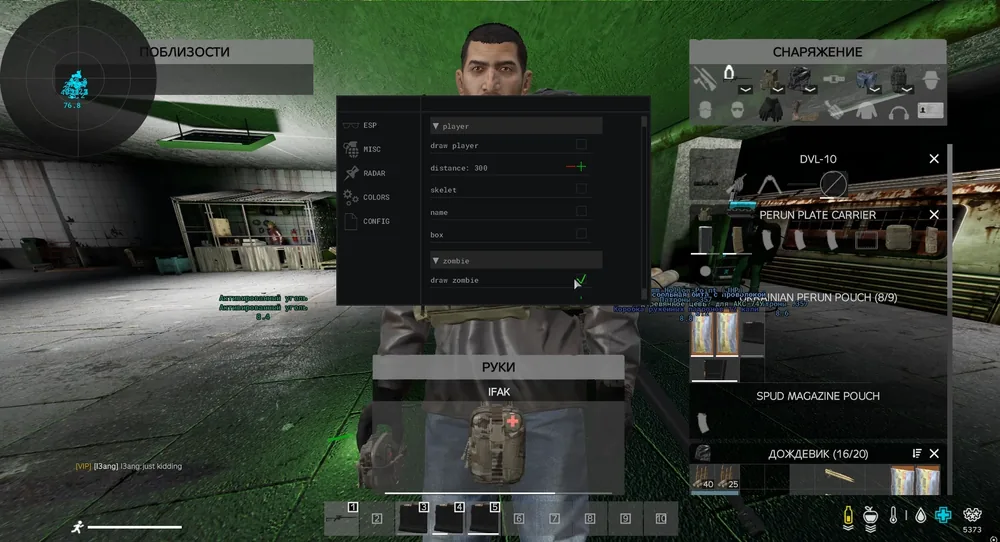
Player ESP shows distance, skeleton, name, and boxes. It's a standard set for the genre, but it responds quickly even in crowds at loot spots, where a dozen players can be present at once. A separate Zombie ESP system displays skeleton, boxes, and distance for the undead, which is especially useful in enclosed locations like Tisy or military bases, where zombies appear around corners and catch you off guard while running.
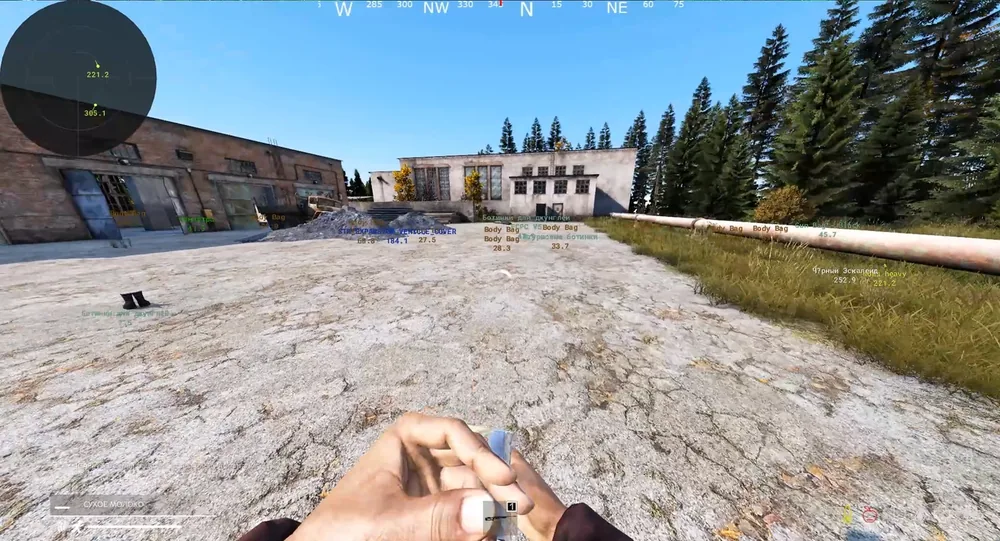
Object ESP adds vehicles, animals, and other players' corpses. The last point is handy when clearing a map after a fight: no need to walk the battle site manually looking for dropped loot, the body is immediately highlighted on the map. When hunting wildlife, animal ESP saves time finding deer and boars for cooking, especially in the first hours after spawn, when hunger hits health the hardest.
Loot ESP: Detailed Loot Filtering
This is where Avalanche stands out the most among cheats for DayZ. Loot categories are configured independently of each other, and the list is extensive: weapons, ammunition, clothing, food, tools, containers, crates, repair items, generators, melee weapons, seeds, sewing kits, medical supplies, building materials, tents, survival items, grenades, and attachments. Each category has its own minimum quality filter, and the quality itself can be displayed directly in the text label above the item.
In practice it looks like this: when entering a military base, you enable only weapons and medical supplies, and low quality junk along with dozens of duplicate cans simply aren't highlighted. This saves time inspecting buildings and doesn't clutter the screen with text that nobody ends up reading. For long raids aimed at specific loot, such as assembling a particular weapon, category based filtering works more precisely than a general loot ESP without any breakdown.
The minimum item quality filter deserves a special mention: DayZ's system stores item condition ranging from "pristine" to "ruined," and without a filter, loot ESP often floods the screen with broken canteens and torn clothing. Avalanche filters out such finds automatically once you set the quality threshold above average.
360 Degree Radar: Full Map Awareness
The radar covers the entire space around the player and shows the direction targets are moving, not just a point on the map. Detection range and scale are configured independently of each other, and the radar circle size can also be adjusted to fit the screen resolution. There's a text display of distance to the target and direction triangles that immediately tell you whether an enemy is moving toward you or past you.
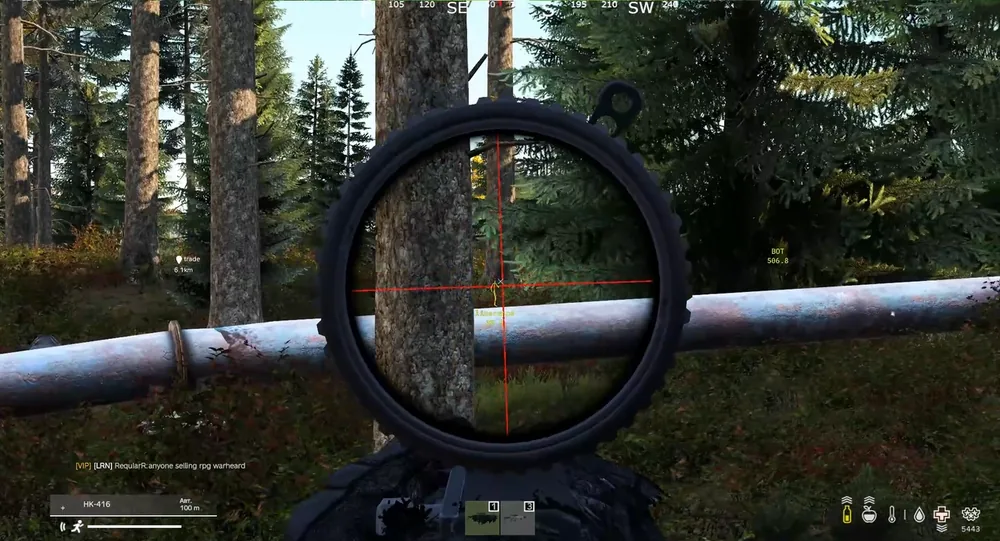
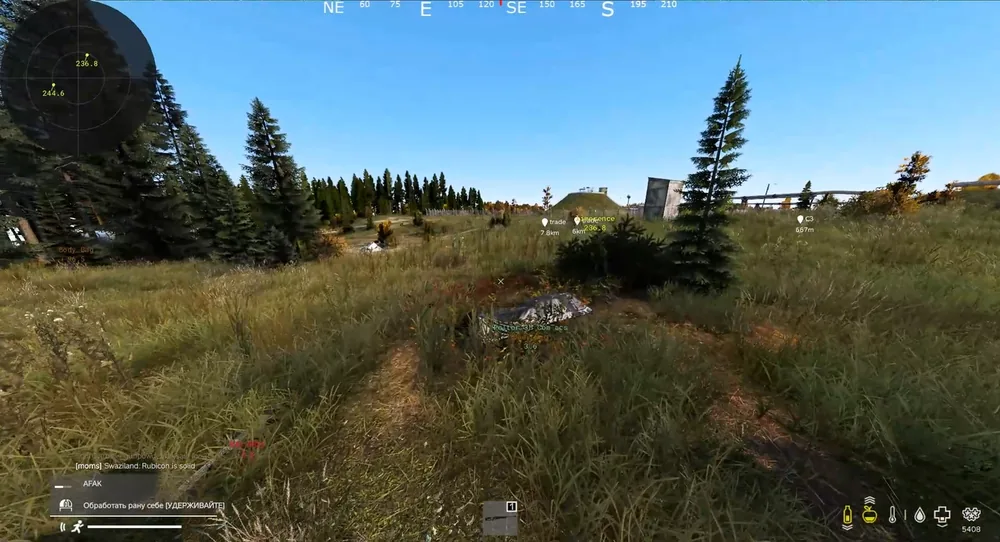
In the open areas of Chernarus, where an enemy can appear from any direction, this works more reliably than relying solely on ESP boxes within the camera's field of view. In forests, the radar also doesn't lose targets hidden behind trees, which matters a great deal in a survival genre where surprise plays such a big role. When defending a camp, the radar effectively replaces a second player watching your back.
Object ESP: Vehicles, Animals, Corpses
A separate ESP block covers non-player objects. Vehicles are highlighted at any distance, which is handy when looking for a car for a long trip across the map, especially on servers with rare vehicle spawns. Animals are marked separately from zombies, which simplifies hunting without cluttering the interface. Other players' corpses are visible right after death, including those who died from zombies or environmental damage, not only by your hand.
Color Settings and Configuration Saving
Each ESP category and each target type on the radar can be colored separately: enemies, allies, admins, vehicles, animals, corpses, and every loot type individually. This is convenient if you play in a squad and need to quickly tell your teammates' boxes from enemy ones on a crowded interface, especially during a raid on someone else's base.
Settings are saved to the clipboard with a single button and restored just as quickly after reinstalling Windows or after another cheat update. There's no need to reconfigure dozens of colors and filters from scratch every time a new build comes out for a DayZ patch, which is especially valuable for anyone who spent more than an hour fine tuning their loot filters.
OBS Recording Bypass and Built-in HWID Spoofer
Both modules come included at no extra cost, which is more of an exception than the rule for loaders at this level. The OBS recording bypass keeps the ESP and radar overlay out of your stream or recording, useful for anyone streaming at the same time or who simply doesn't want to reveal their cheat settings to friends. The built-in HWID spoofer changes the system's digital footprint, lowering the risk that a repeat ban gets tied to the hardware itself rather than just the account.
Compatibility: Steam, Intel/AMD, Windows 10 and 11
Avalanche is built for the Steam client, which covers the vast majority of DayZ players. Intel and AMD processors are supported with no difference in performance, the difference is really only noticeable on very old budget builds where the game itself already barely holds a stable FPS. Windows 10 and 11 are supported on current updates, and there's no need to roll back system patches, as is sometimes the case with some competitors.
PvP and PvE: Strengths and Weaknesses of Avalanche
The lack of an aimbot fits logically with the style of play Avalanche is built for. Most of the time, DayZ isn't about firefights, it's about moving across the map, searching for resources, and trying not to run into another squad before you're ready. The radar and ESP cover exactly that part of the game: you see where the enemy is and where they're heading, long before visual contact, and you can decide for yourself whether to engage or avoid them.
In a direct short range firefight, the cheat gives no advantage in aim, only in information. Players specifically looking for an autoaim for PvP servers with frequent clashes will likely be unhappy with this aspect and will want to look at other DayZ loaders with a full aimbot module. For a survival oriented style, cooperative squad play, or solo survival on PvE servers, Avalanche's feature balance looks logical.
Stability and Launching Avalanche
The loader works only in windowed mode. It's a limitation, but it also lowers the risk of conflicts with BattlEye and makes correct overlay rendering on top of the game easier. Intel and AMD processors are supported, along with Windows 10 and 11 on all current builds, and the Steam client. The built-in OBS recording bypass keeps rival streamers from spotting the cheat on someone else's stream or recording, and the HWID spoofer reduces the risk of a ban being tied to specific hardware on a repeat purchase.
Based on our observations, the BattlEye update after major DayZ patches comes out within a day, noticeably faster than some competitors in the catalog. No USB flash drive is required to launch, and installation takes just a few minutes: download the loader from your account, run it as administrator, and pick a configuration profile.
We also checked behavior when switching servers without restarting the game: the configuration and selected loot filters are preserved, so there's no need to set everything up from scratch again. If a server freezes or the connection drops, the overlay hides correctly and leaves no artifacts on screen after reconnecting.
| Feature | In Avalanche | Comment |
|---|---|---|
| Player ESP | Yes | Distance, skeleton, name, boxes |
| Zombie ESP | Yes | Separate from Player ESP, its own settings |
| Loot ESP | Yes | Filter by category and minimum quality |
| 360° Radar | Yes | Movement direction, adjustable range |
| Aimbot | No | Not included in this build |
| Built-in HWID spoofer | Yes | No extra charge for a separate module |
| OBS recording bypass | Yes | Overlay doesn't appear in stream or recording |
Pros and Cons of Avalanche
Pros:
- One of the most detailed Loot ESP systems among cheats for DayZ: separate filters by category and minimum quality
- 360 degree radar with target movement direction and adjustable detection range
- Built-in HWID spoofer and OBS recording bypass with no extra charge for separate modules
- Fast BattlEye updates after game patches, within a day
- Configuration is saved and restored in one click via the clipboard
Cons:
- No aimbot, only ESP, radar, and supporting features
- Works exclusively in windowed mode, with no fullscreen support
- A USB flash drive isn't included, if you need an extra layer of isolation
- There's no trial version, you can only judge the cheat's behavior after buying the minimum period
Overall, there aren't many downsides, and all of them are more limitations of the chosen format than actual shortcomings: the developer clearly chose to focus on ESP, loot, and information rather than trying to cram the maximum number of features into a single product.
First Launch of Avalanche: Where to Start
After payment, access to the loader opens up in your account on forgecheats.com, there's no need to install anything separately from other sites. Here's the order to follow:
- Download the latest version of the loader from your account, old builds may not work with a new DayZ patch
- Disable your antivirus or add the loader folder to its exclusions, otherwise Windows Defender will flag the file as suspicious before it even launches
- Launch the loader as administrator before starting the game itself, not after joining a server
- Configure the Loot ESP filters for your task: weapons and medical supplies are enough for a military base raid, building materials and tools for base building
- Save the finished configuration to the clipboard so you don't have to set everything up again after the next update
If your antivirus still interferes with the launch, we have a separate guide to disabling Windows protection for a cheat, with steps laid out for Windows 10 and 11 along with screenshots.
Avalanche Price and How to Buy
In our catalog, Avalanche is available for 270 rubles a day, 760 rubles a week, and 1850 rubles a month, with payment by card or via SBP. Converted to a daily rate, the weekly plan comes out about a third cheaper than the daily one, and the monthly plan is even more cost effective for regular play, around 62 rubles a day compared to 270 rubles for a single day purchase. For a one off raid, the daily plan makes more sense, for a season on one server, the monthly plan.
You can subscribe on the product page: buy Avalanche. If an aimbot is your priority, or you'd like to compare a few options, check out other DayZ cheats in the catalog.
Questions about installation or compatibility get resolved in our Telegram (200+ members) and Discord (637+ members), where you can also ask people who are already playing with Avalanche on their servers.
Who Avalanche Is For
The cheat covers different needs depending on what matters most in a particular DayZ run.
If loot matters most: detailed Loot ESP with filters by category and quality saves hours of running around military bases, towns, and industrial zones.
If safety matters most: the built-in HWID spoofer and stable undetected status under BattlEye reduce the risk of losing your account and having to buy again after a ban.
If you need full control over the map: the 360 degree radar together with Zombie, Vehicle, and Corpse ESP give a broad picture of what's happening around your camp or route.
If your budget is limited: the daily plan for 270 rubles is enough to gear up once before a raid or try out a server without long term commitment.
Anyone for whom an aimbot is a must should look at other options in the DayZ catalog: Avalanche bets on awareness and looting rather than automatic shooting. The bottom line is simple: if the goal of a run is to gear up quickly, spend time on a server safely, and see the map ahead of time, Avalanche covers that need without unnecessary setup and with a clear price tag.
Frequently Asked Questions About Avalanche
Is Avalanche Detected or Undetected Right Now?
As of 2026, the status is undetected, the cheat is checked and updated for BattlEye after every major DayZ patch. The current status is always visible on the product page in the ForgeCheats catalog before you buy.
How Much Does Avalanche Cost?
Prices start at 270 rubles a day, a week costs 760 rubles, and a month costs 1850 rubles. Payment by card or via SBP is available directly on the cheat's page in your account, with no third party exchangers involved.
Does Avalanche Have an Aimbot?
No, this build doesn't include an aimbot. The cheat is built around ESP, Loot ESP, and radar, for players who care more about seeing the map and loot than getting autoaim in firefights.
Do You Need a Separate HWID Spoofer?
No, the HWID spoofer is already built into Avalanche and enabled by default, you don't need to pay extra for it with any subscription period.
Why Does the Cheat Only Have Windowed Mode?
Windowed mode lowers the risk of conflicts with BattlEye and makes it easier for the ESP and radar overlay to work correctly on top of the game, which is why the developer hasn't added fullscreen support yet.
Is Avalanche Good for a DayZ Beginner?
Yes, the interface with ready made color and loot filter presets doesn't require deep knowledge of the game. The radar and ESP help you get familiar with the map and spawn logic faster, until you build up your own survival experience solo or in a squad.
How Is Avalanche Different from Aimbot Cheats for DayZ?
The main difference is in purpose: aimbot cheats give an advantage in the fight itself, while Avalanche gives an advantage before the fight, through information about the map, loot, and enemy movement. If you want to combine both approaches, it's worth comparing a few loaders in the DayZ catalog and choosing based on your specific priorities.