
UDP is still the one feature set in the Rainbow Six Siege cheat catalog that solves three jobs at once: it sees players, it sees gadgets, and it keeps your hardware off BattlEye's radar. The build holds priority 10 in our R6 catalog not because of the name, it holds that spot because it covers round intel end to end: UDP cheat for Rainbow Six Siege combines Player ESP, Gadget ESP, Ability ESP, aimbot and a built-in spoofer, while the rest of the live catalog usually covers one or two of those jobs. Status as of September is undetected, price runs from $4 a day to $40 a month.
We ran the build in ranked lobbies and custom matches, checking four situations that repeat in every Siege game: a breach through a broken wall, a defense with drones and cameras already placed, roaming between floors, and a plain doorway peek. BattlEye loads with the game at kernel level and scans memory by signatures, so we cared less about a single check and more about how the software behaves over several rounds in a row without disconnects or suspicious freezes.
How we tested UDP
Test runs went across different maps: Bank, Clubhouse, Oregon, Villa, Calypso Casino. On every map we watched the same thing: how fast UDP shows the defenders' gadget layout during the prep phase, before attacker drones could scout it all by hand. We also ran Battle Mode for competitive matches and checked whether BattlEye flagged anything odd over a long play session.
Part of the runs was on defense, part on attack, to see Gadget ESP from both sides of the map. On defense we cared about how fast enemy drones and incoming roamers showed up, on attack about how accurately claymores and proximity sensors got tagged before we walked into one.
We turned the spoofer on not to swap hardware between bans, but to confirm it exists and does not conflict with UEFI. On the test rig with an Intel motherboard and Secure Boot enabled, the build started normally, more on that in the requirements section below.
UDP features: what they do in a real match
Gadget ESP and Ability ESP: what no other live build in the catalog has
Half the information in a Siege round sits not on players but on gadgets: where a Valkyrie camera is placed, where a proximity sensor got planted, where a Kapkan trap waits. UDP highlights drones, claymores, cameras, proximity sensors and Hard Breach devices separately from players, so your eye does not have to jump between two target types. Bulletproof cameras get their own marker: a regular camera goes down in one shot, an armored one needs a different angle or has to be avoided entirely.
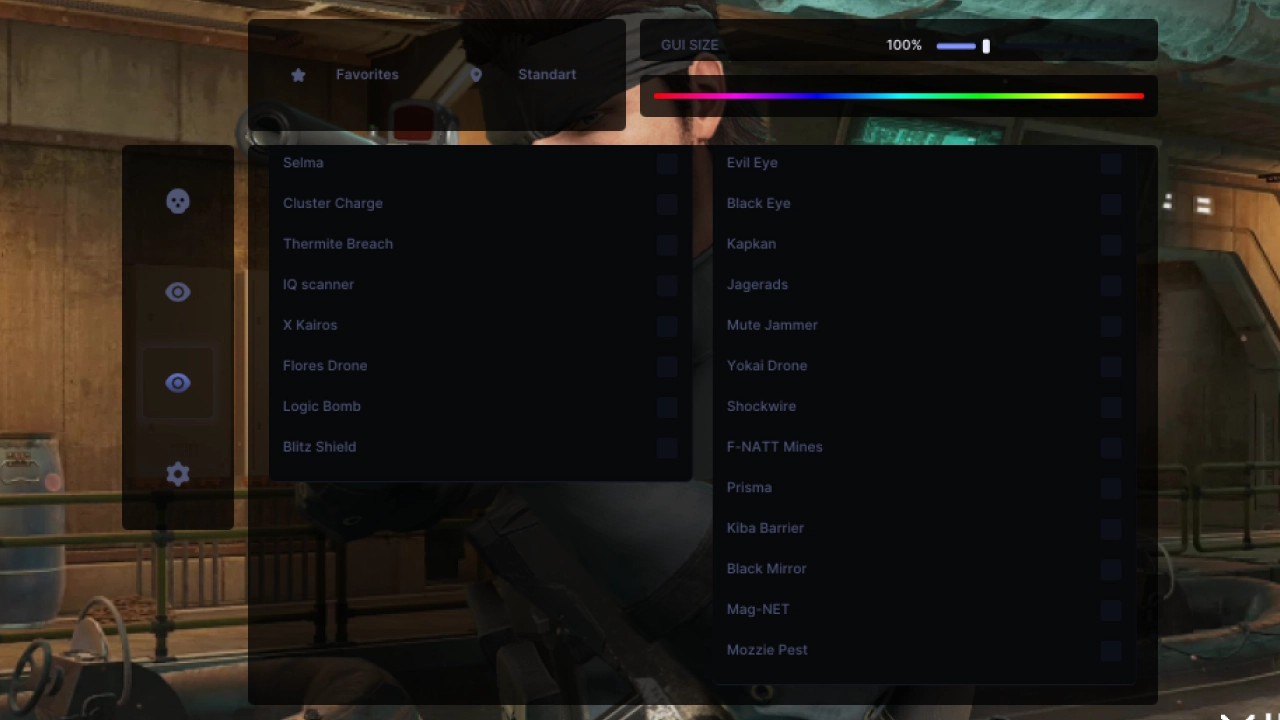
Ability ESP adds operator mechanics on top of that: Thermite Breach, Kapkan, Frost Trap, Blitz Shield, Maestro's Evil Eye and other abilities show up on the map the same way regular gadgets do. In practice that pays off more than lighting up players through a wall: taking down an Evil Eye turret before it reacts often costs the defense more than losing one operator in a firefight. During roams and floor rotations, this information saves the time that would otherwise go into carefully checking a room by hand.
No other live build in our R6 catalog has this combination: some only show ability icons without map items, some have neither. For UDP, this is the real difference, not the aimbot on its own.
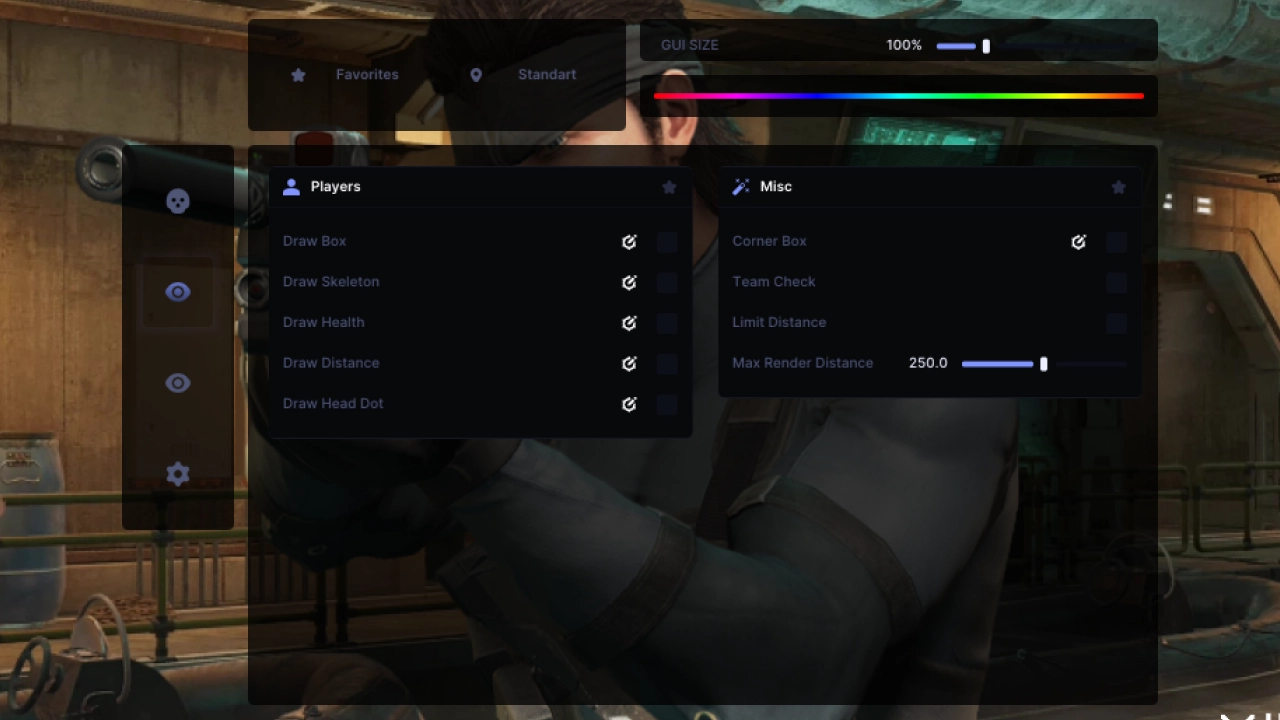
Player ESP: boxes, skeleton and distance
A regular layer on top of the gadgets: boxes, skeleton, health bar, distance to target, off-screen edge boxes, a head marker and lines to enemies. The max distance setting cuts the clutter on larger maps like Oregon, where the screen would otherwise fill up with markers three floors away.
Edge boxes come in handy on rotations specifically: you see an enemy flanking before they enter the frame, and the line to target helps you place which floor the footsteps are coming from. Paired with Gadget ESP, this gives the full picture: who is coming, from where, and what they already set up.
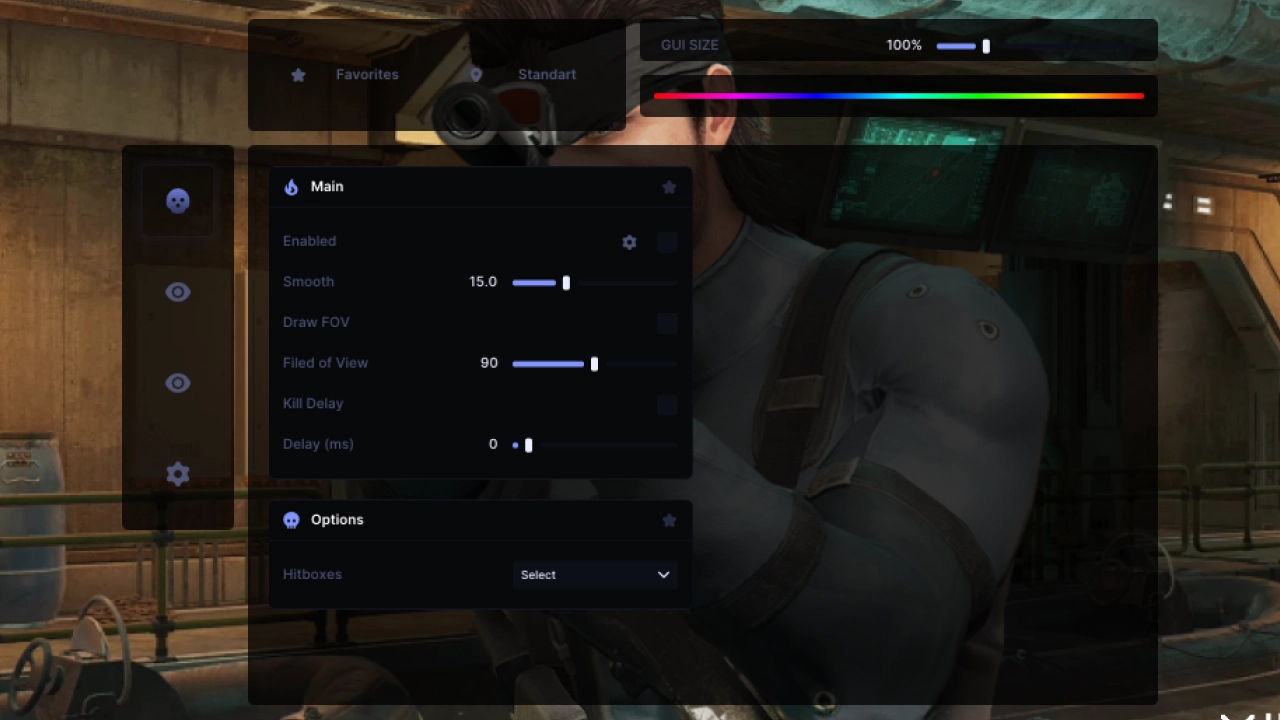
Aimbot: hitbox, FOV and kill delay
Aim turns on with a separate activation key and locks onto a chosen hitbox, with smoothing tuned so the crosshair does not snap in one hard jump. Two settings that a lot of buyers underrate sit here: FOV with its own setting and a limit in Legit mode, and a kill delay from 0 to 1000 milliseconds.
Neither setting is meant to dodge detection, both are meant to look normal to a real person reviewing the killcam afterward. A trimmed FOV keeps the crosshair from snapping across the whole room in one move, and the kill delay smooths out the instant reaction that looks unnatural on a recording. None of this affects BattlEye itself, the anti-cheat analyzes memory and signatures, not how a frag looks from the outside.
It shows most in a doorway peek: without an FOV limit, the crosshair snaps to the head instantly from any angle in the room, while with the limit and smoothing tuned in, the movement reads like a normal fast flick rather than a camera teleporting.
Spoofer and compatibility with ShieldGuard
A built-in spoofer in the live R6 catalog right now sits on only two builds, UDP is one of them. It matters exactly because Siege bans come in waves after patches and season updates rather than one at a time in real time, so it is better to close off that extra restore-access headache in advance rather than deal with it after the fact.
One detail worth checking before buying: the build needs a BIOS in UEFI mode, and that only works on Intel processors. At the same time, an enabled Secure Boot does not block the launch, there is no conflict with ShieldGuard and Legend Division access here, unlike solutions that need Secure Boot disabled or need virtualization to run. For anyone who wants to dig into the security platform's mechanics further, we wrote a separate piece on Secure Boot and TPM in Battlefield 6 cheats.
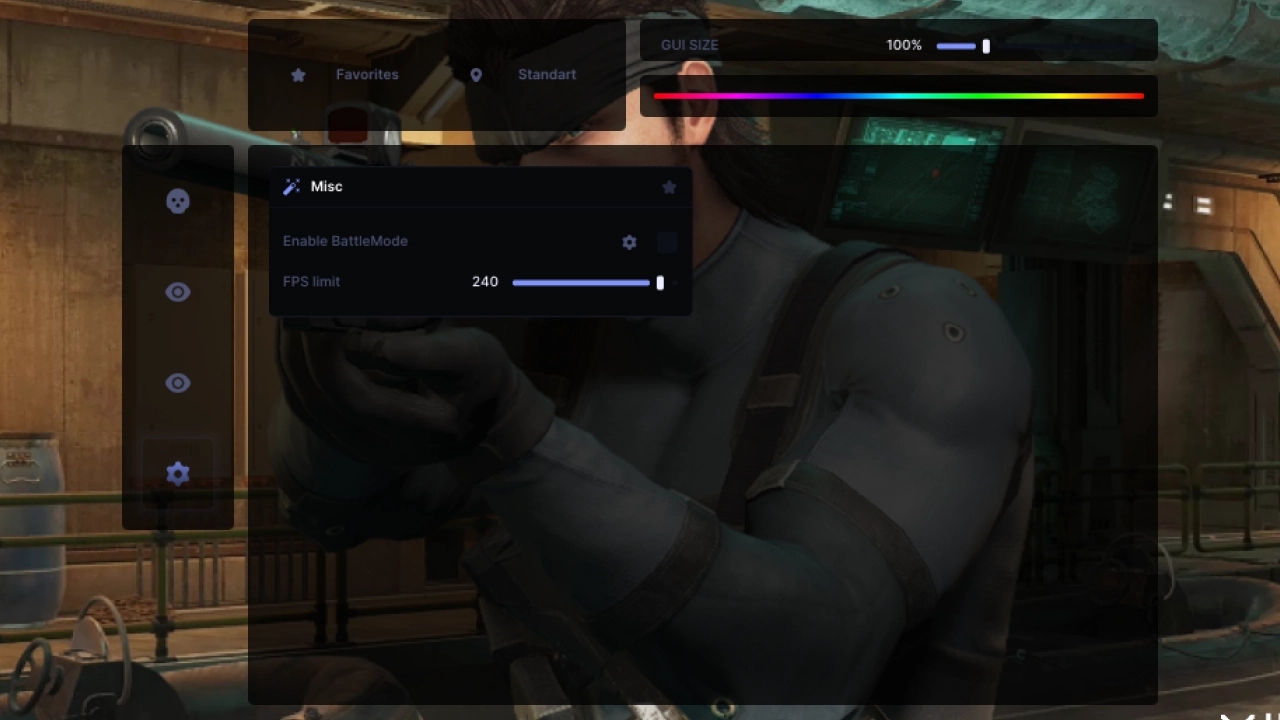
Misc: Battle Mode and FPS limit
Among the extra features: Battle Mode for competitive matches and an FPS limit. Nothing excessive here, this is not a separate module added just to pad the checklist, it is two settings that actually matter when moving from a training lobby into ranked, where a steady frame time matters more than peak frames.
In casual matches and custom lobbies you barely notice the difference, but in ranked, where every doorway peek needs to be predictable, the steady frame time from the FPS limit shows up mostly on sharp flick corrections.
Ranked vs Quick Match: how UDP settings change
The cost of a mistake is different in ranked and in a regular match, and the config should be tuned accordingly instead of running the same aim and ESP values everywhere.
After Ranked Overhaul 3.0, ranked opponents are on average more evenly matched and noticeably more attentive to what happens on their teammates' and enemies' screens. A sharp flick across the whole room or a shot with no miss stands out far more in that setting than in a casual lobby, where the player pool is different every time and attention to enemy stats is lower. In ranked we kept the kill delay closer to the middle of the 0 to 1000 millisecond range and kept the FOV limit on in Legit mode, so every frag looked like something any player with similar stats could pull off.
Quick Match is a different bet: one lost or suspiciously won match barely affects the account, that lobby carries far less weight for ranking and stats. So there we sometimes turned both limits off entirely and tested Gadget ESP and Ability ESP at maximum reaction speed, without worrying how it would look on someone else's stream recording.
A separate point concerns reports, not detection itself. In high-level lobbies a report against a player usually gets written not for the hit itself but for a strange call: a sharp turn toward an enemy who should not be visible given the round's logic, or an instant reaction to a teammate's gadget with no pause to process it. BattlEye does not ban automatically over such reports, that is a moderation process separate from detection, but staying careful with sharp movements cuts down on reports and does not draw extra attention to the account.
UDP by scenario: breach, roamers, floor rotations
We checked the build against real situations that repeat in every Siege match, not in a vacuum.
Breach and the defender behind the wall. While a breach is being set up, a defender behind the wall usually goes by the sound of a drill or a charge. Ability ESP shows an active Thermite Breach on the map ahead of time, so the call to fall back or hold the breach gets made a second earlier than playing by ear.
Prep phase and drones. While attacker drones scout the rooms, Gadget ESP on defense shows where your own cameras and proximity sensors are sitting and which ones are under threat. That speeds up the call on which camera to save and which one to write off.
Roamers and floor rotations. On a roam, knowing exactly what the defense already set up on that floor matters. Gadget ESP removes the need to manually check every room, claymores and sensors show up without the risk of tripping them first.
Doorway peek. This is where aim, not ESP, does the work: hitbox lock and tuned aim smoothing help you keep the target during a short peek, and the FOV limit in Legit mode keeps the crosshair from snapping across the whole angle in one go.
Prep phase: why still fly the drone when gadgets are already visible
The first minute of a Siege round is recon: attackers fly drones, defenders finish placing their last gadgets. It might seem like Gadget ESP makes flying a drone pointless, cameras, sensors and traps are already visible without it. In practice we still flew drones in every test, and the difference in team behavior showed up right away.
If one of five players stops moving the drone and just sits on a ready plan, it looks off to the other four, replays show a pattern where a player either skips checking rooms entirely or acts as if the layout is already known. Gadget ESP does not change whether you fly the drone, it changes what you are looking for: instead of scanning every angle, attention shifts to confirming spots you already know and to players, who are still only visible directly through the drone.
There is also a team coordination angle: if Gadget ESP shows that a teammate already cleared a claymore, the drone is still worth driving to the end of the room, because a gadget marker does not replace information about player positions and open doors. On maps like Villa and Clubhouse, where rooms connect through several paths, the drone is what tells you which route is shorter, while Gadget ESP only warns that a spot might be booby-trapped.
Operator roles: who gets more out of Gadget ESP
Highlighting gadgets and abilities is not equally valuable for every role in a squad, the difference stands out across four typical positions.
- A hardbreacher needs to know whether someone is standing behind the wall before planting a charge, Gadget ESP will not show the player directly, but it will flag a nearby proximity sensor or camera that would give away the moment of planting
- A recon operator's ability highlight partly duplicates what the drone already shows, but without a cooldown or a limited viewing radius, the ability stays marked on the map even long after the drone itself is destroyed
- A roamer on defense sees where the attack actually went through Gadget ESP, if a claymore or sensor disappears on one side of the map, someone already passed through there, and the rotation call gets made faster
- A player holding the objective needs to know which wall a breach is being prepared on, an active Thermite Breach or Hard Breach device on a specific wall turns defending the site from guesswork into a concrete fallback plan
The general principle is the same across all four cases: Gadget ESP does not replace the decisions that come from an operator's own kit, it just removes the seconds spent guessing the layout. What happens next is still up to the player: walk into the room, take down the turret, or wait for a teammate with the right gadget for a counterplay.
Stability and requirements for UDP
The build works with any game client, launching in Borderless or Windowed mode. BIOS has to be in UEFI mode, and that restriction is strict, Intel processors only, AMD is not supported. Supported systems are Windows 10 and 11, all current builds from 1909 to 25H2.
Over the test period BattlEye did not flag a single account, status at the time of publishing is undetected. That is the factual state on the date we checked, not a guarantee for the future, bans in R6 come in waves after patches, and we update the status on the product card as soon as it changes. Based on support tickets, most launch issues trace back to BIOS, people mix up Legacy and UEFI or forget the build needs Intel specifically.
Over the course of testing we did not run into cases where Gadget ESP or Ability ESP lagged behind the round or missed a gadget that had already appeared, the markers updated in real time in both ranked and Quick Match, regardless of which map the match was on: Bank, Clubhouse, Oregon, Villa, or Calypso Casino.
Pros and cons of UDP
Pros:
- Gadget ESP and Ability ESP cover items and operator abilities, not just players
- Bulletproof cameras are marked separately from regular ones
- Built-in spoofer is compatible with Secure Boot enabled
- Kill delay and FOV limit in Legit mode against killcam review
- Battle Mode set aside specifically for ranked matches
Cons:
- Requires BIOS in UEFI mode, without it the build will not launch
- Only Intel processors are supported, there is no AMD alternative in the build
- No streamproof against recordings
- No radar with a minimap
UDP price and how to buy
Catalog periods: $4 a day, $8 for three days, $20 a week, $40 a month. The daily and three-day periods are handy for testing the build on your own system before a weekly or monthly purchase, especially if you are unsure about the BIOS mode. Get access straight from the product page: buy UDP for Rainbow Six Siege.
If your CPU is AMD or you want a cheaper entry point that ignores BIOS requirements altogether, we have a separate breakdown of the budget build: the review of ANCIENT, which has no motherboard requirements at all.
You can check the rest of the Rainbow Six Siege cheats in our catalog on the game page, where you can also see the current status of every live listing. Questions about installation and setup get answered in Telegram (300+ members) and Discord (2000+ members), based on support tickets most questions boil down to checking the BIOS version and launch mode.
Who UDP fits
There is no single universal answer here, there are several real use cases in R6.
If you want full control over round information: Gadget ESP, Ability ESP and Player ESP together cover both people and gadget placement, that is the main advantage for a roamer role or scouting ahead of a breach.
If your CPU is Intel and you want the spoofer question closed right away: the built-in spoofer removes the need for a separate purchase, and compatibility with Secure Boot enabled does not shut the door to Legend Division.
If your CPU is AMD or budget is tight: UDP does not fit here because of the BIOS requirement, it makes more sense to look at a cheaper entry point with no motherboard requirements.
If protection from stream recording matters: UDP does not have that feature, and honestly it is simpler to look at a DMA solution with a separate hardware mouse emulator instead of a software build.
Frequently asked questions about UDP
Is UDP detected or undetected right now?
Status at the time of publishing is undetected. We tested the build in ranked and custom matches over several rounds in a row with no BattlEye flags, the current status is always visible on the product card and updates as soon as it changes.
How much does UDP cost?
From $4 a day, with periods for three days at $8, a week at $20 and a month at $40. The period can be changed after purchase depending on how many matches you plan to play and how long you need access.
UDP will not launch, what should I do?
Most of the time the cause is BIOS: it needs UEFI mode specifically and an Intel processor, on AMD the build will not start at all. If the mode is enabled and the launch still fails, contact support through Telegram or Discord with your Windows version and a screenshot of the error.
Do I need a separate spoofer with UDP?
No, the spoofer is already built into the build, there is no need to buy a separate solution. The only condition is BIOS in UEFI mode, with Secure Boot enabled there is no conflict, and access to Legend Division stays intact.
What does Gadget ESP show and why do I need it if I already have Player ESP?
Player ESP shows people, while Gadget and Ability ESP show placed drones, cameras, mines and activated operator abilities like Evil Eye or Frost Trap. A deeper breakdown of exactly what those markers reveal and how to use them by operator is in our separate piece on Gadget ESP and operator abilities in R6.
Which game clients and launch modes does UDP support?
The build works with any game client, launching is available in Borderless or Windowed mode. Fullscreen is not supported, if your game currently runs in Fullscreen, switch it to one of the supported modes before buying.
Does UDP work on AMD?
No, only Intel processors are supported, that is a strict limitation tied to the BIOS UEFI requirement. For AMD systems, our R6 catalog has other builds without that requirement. You can check your CPU type in Windows Task Manager under the Performance tab if you are not sure which one you have.
Will UDP let me into Legend Division?
Yes, an enabled Secure Boot does not block UDP from launching and does not shut the door to Legend Division. The conflict only shows up with solutions that need Secure Boot disabled or need virtualization to run, UDP has no such dependency. You can check your own security requirements status in the game itself, on the Play tab under Security Requirements.
What happens to UDP after a season patch?
Bans and detection in R6 usually update in waves after patches and season updates, not instantly. If a build needs time to catch up after such a patch, the status on the product card switches to "updating", and we do not recommend running the software until the status returns to undetected.